About customers
Creating a customer profile on Lightspeed Restaurant is useful for building customer loyalty and retention and for better organizing transaction records. Once a customer exists on Lightspeed Restaurant POS (K), you may add them to an order or offer email receipts.
In regions where invoicing is supported, a customer must be added to Lightspeed Restaurant before creating a customer invoice.
Adding customers
Add customers one at a time from the Back Office to track their contact details, addresses, and other personal information. After adding a customer to Lightspeed, assign them to orders in the Restaurant POS app to track their transactions and items ordered.
Customers can also be imported in bulk from the Back Office or added in the Restaurant POS app individually.
Adding customers to the Back Office
Add or manage customer details from the Back Office. Remember to always ask for permission before entering a customer’s contact information in Lightspeed Restaurant.
- Log in to the Back Office with your Lightspeed Restaurant credentials.
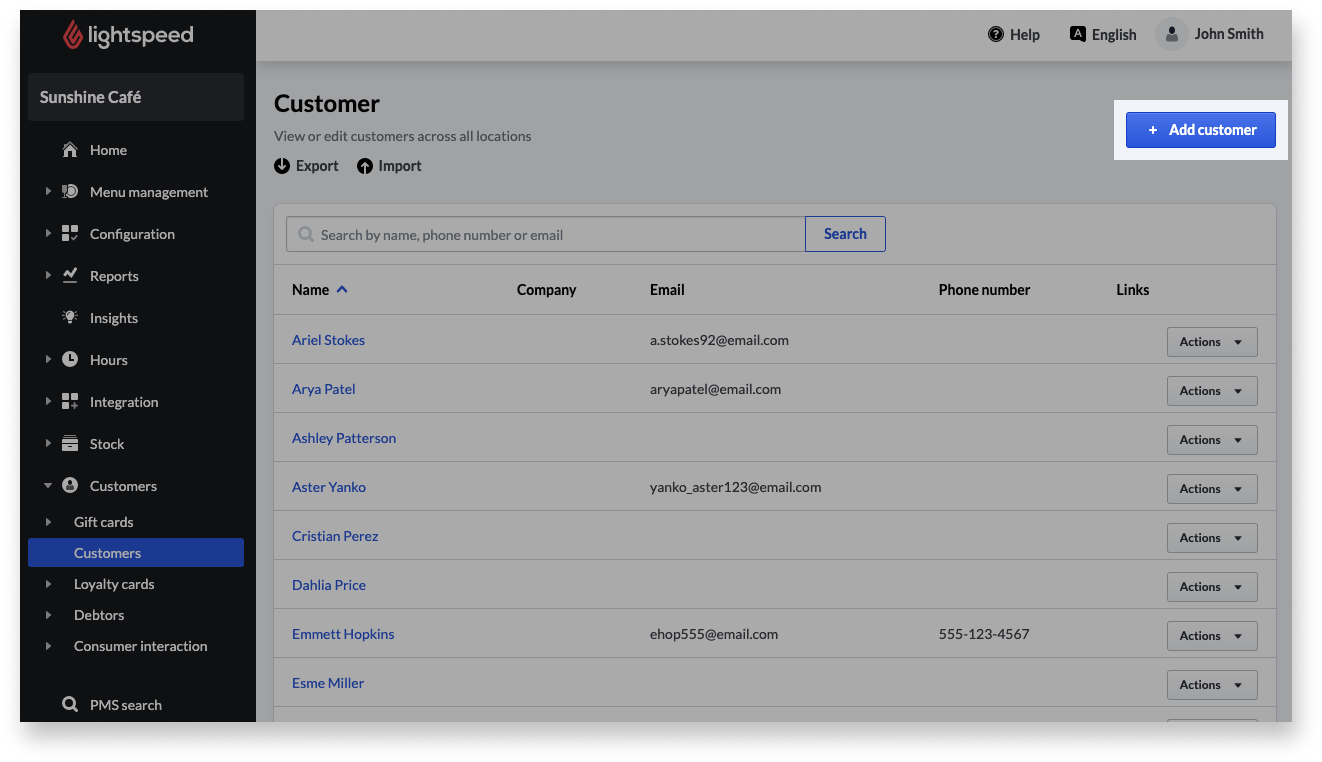
- From the navigation menu, go to Customers > Customers.
- From the Customers page, click+ Add customer.
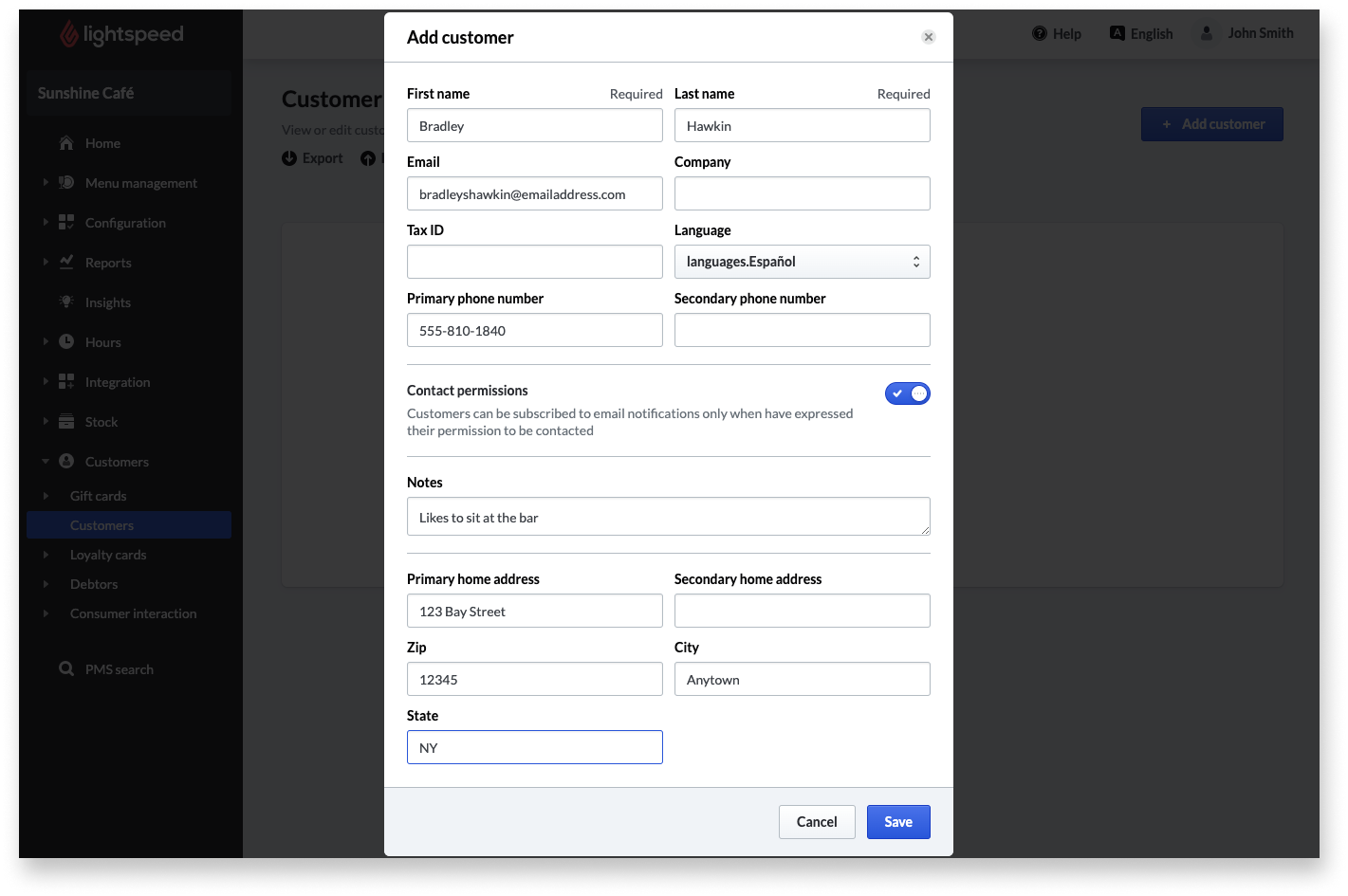
- Enter the contact information and details the customer provided, such as their name and phone number.
- Click Save to create the customer profile.
Customer profile settings
The following settings are the details available to enter in a customer’s profile, such as their name and email address. Fill in as much or as little information as desired according to the needs of the business.
|
Setting name |
Description |
|
First name (required) |
Given name of the customer. |
|
Last name (required) |
Surname of the customer. |
|
|
Customer’s personal email address. |
|
Company |
Business the customer represents. |
|
Tax ID |
In required regions, the customer’s tax identifier. |
|
Language |
Preferred language of communication. |
|
Primary phone number |
Main phone number, such as a home or cell number. |
|
Secondary phone number |
Alternate phone number, such as a work number. |
|
Contact permissions |
When enabled, this customer agrees to receive email communications from the restaurant. When disabled, the customer will not receive emails. |
|
Notes |
Custom notes or details about the customer, such as an allergy or preferred seating area. |
|
Primary home address |
Customer’s main residence and mailing address. |
|
Secondary home address |
Customer’s secondary residence or mailing address. |
|
ZIP |
Postal code associated with the customer’s addresses. |
|
City |
City associated with the customer’s addresses. |
|
State |
State or province associated with the customer’s addresses. |
Comments
0 comments
Please sign in to leave a comment.