About reporting settings
Make individual adjustments to the settings affecting your reports. Adjust settings for reporting shifts and reporting automation.
Reporting shifts allows you to define various sales periods used in your reports, such as breakfast, lunch and dinner.
Reporting automation allows you to set when which kind of report or several reports should be generated and sent from the Back Office to your email address.
Understanding reporting shifts
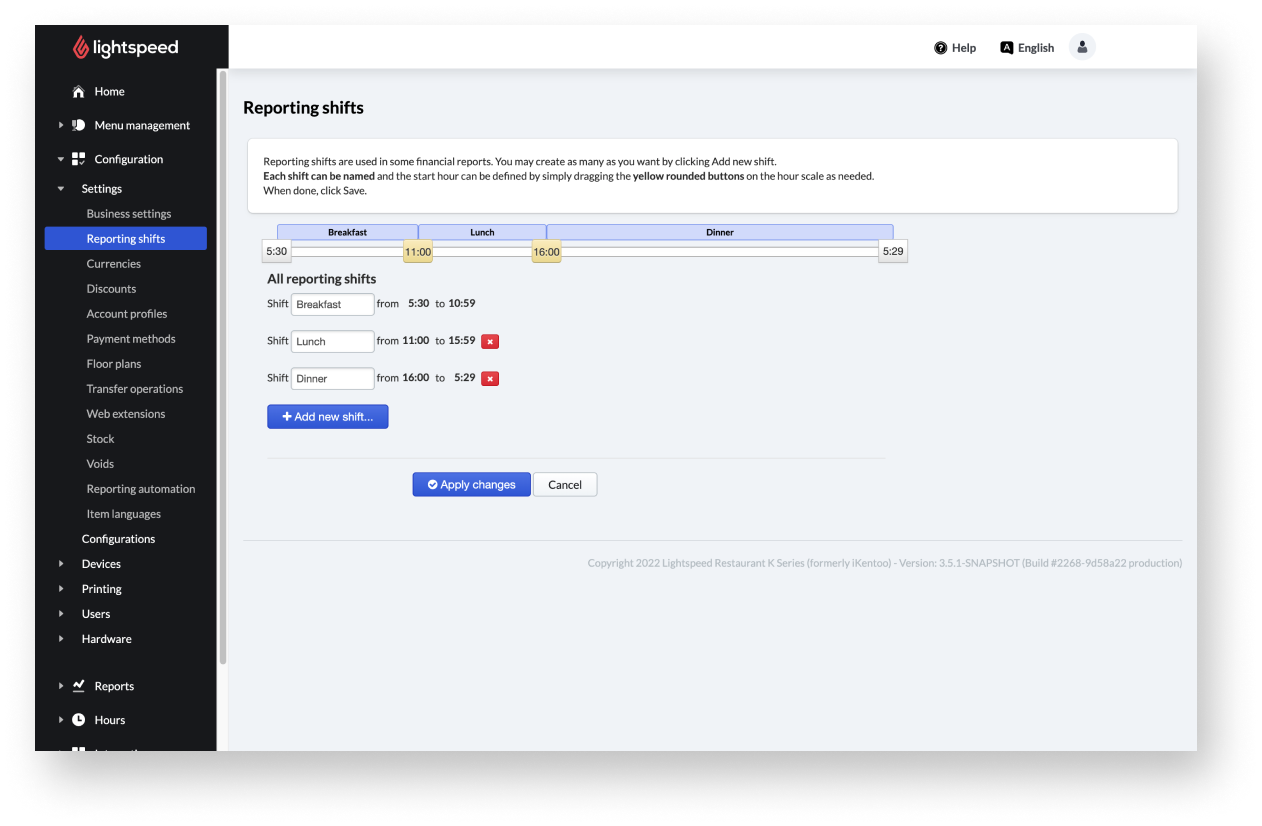
The reporting shifts section allows you to define the various periods used in your reports, such as breakfast, lunch and dinner. Reporting shifts are used in some financial reports.
You can create as many shifts as desired by navigating to configuration > Settings > Reporting shifts and selecting the Add new shift reporting period. Name each shift accordingly and define the start hour by simply dragging the yellow rounded buttons on the hour scale as needed. When done, select save to save your reporting shifts.
You can delete reporting shifts by selecting the red X button.
Understanding reporting automation
Reporting automation is a useful feature in the Back Office that sends specified reports to your email. Define reporting automation to set when which kind of report or several reports should be generated and sent from the Back Office to your email address.
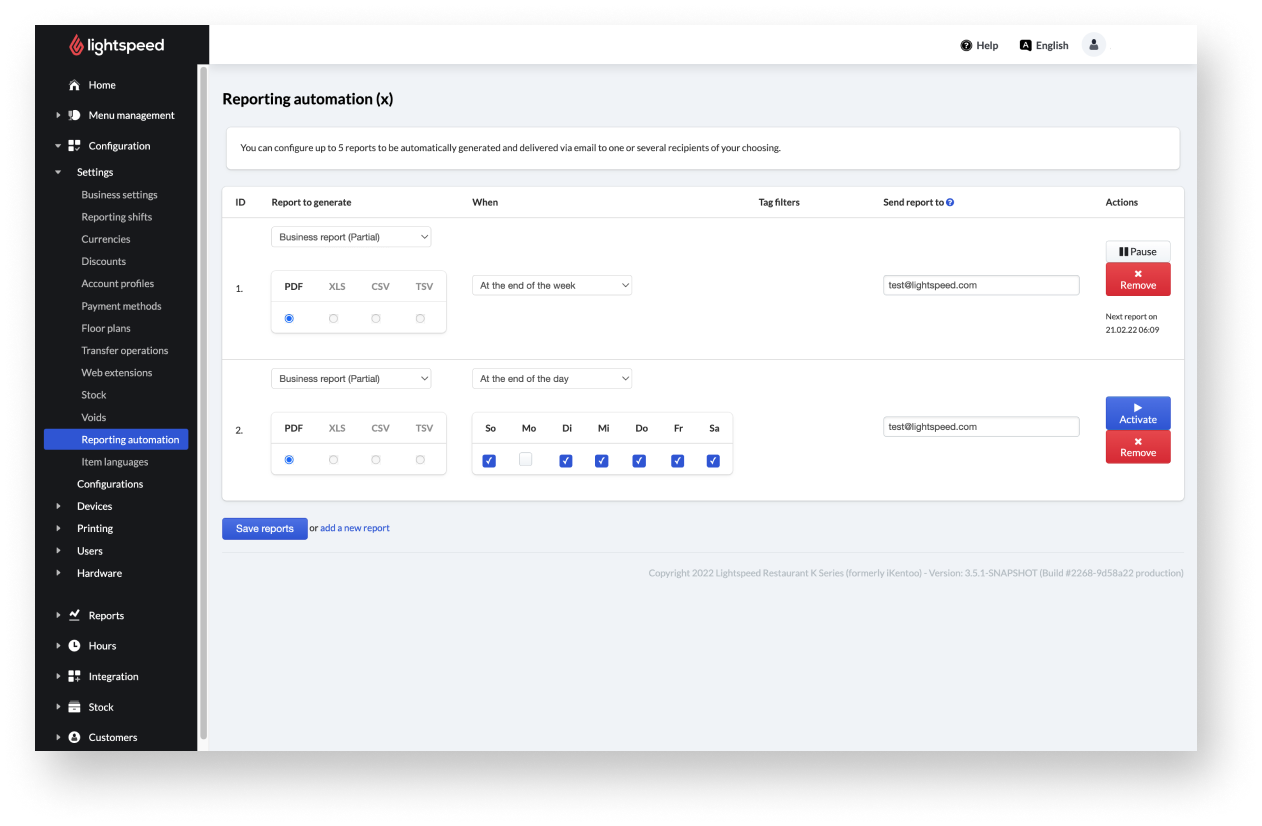
You can configure up to five reports to be automatically generated and delivered via email to one or several recipients of your choosing. You can create reporting automation by navigating to configuration > Settings > Reporting automation and selecting the Add new shift reporting period. You can select the report to generate accordingly and define via dropdown when it should be generated.
Comments
0 comments
Please sign in to leave a comment.