In order to enable this, there is a file we need to capture from you. On the stripe dashboard, follow the steps below and return the file to our support desk.
Step 1: Go to SettingsStep 2: Go to Payment Methods
Step 3: Press configure on Apple Pay
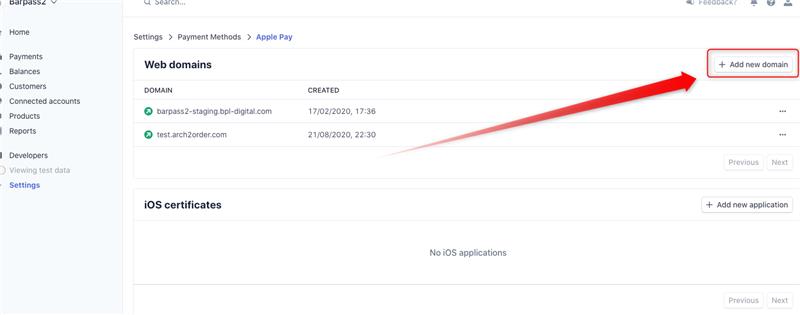
Step 4: Press "add a new domain"(See below image)
Step 3: Press configure on Apple Pay
Step 4: Press "add a new domain"(See below image)
The domain you need to input is: o-XXXXXX.arch2order.com
XXX above is your company name or the URL of the Arch2Order website.
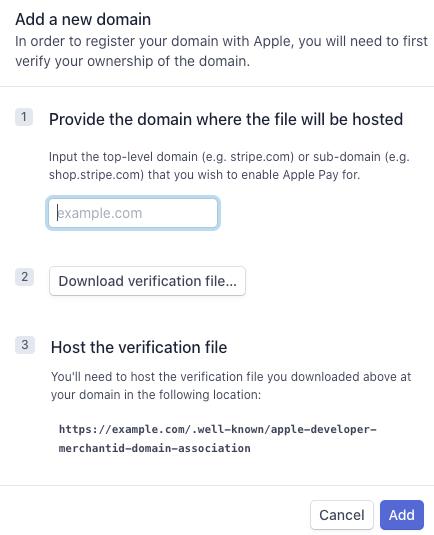
Step 6: Click Add and because the Certificate is hosted by Arch automatically Apple Pay will appear on the Arch CMS
Comments
0 comments
Please sign in to leave a comment.