Service windows allow you to choose which categories appear during certain times of the day on your Arch platform.
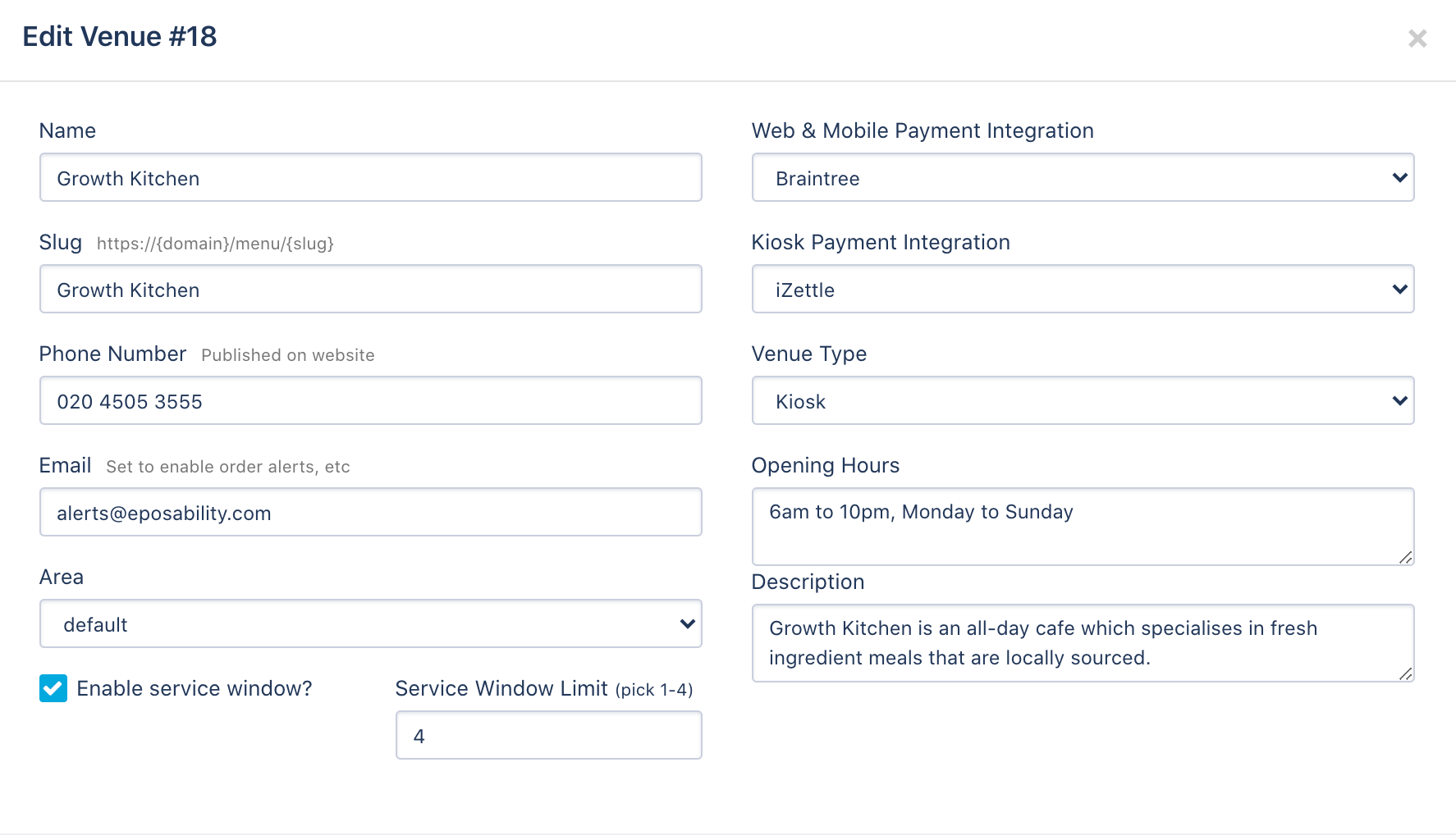
- Open Set-up > Venues and edit on the venue you want to activate 'Service Windows' on
- Ensure the 'Enable Service Windows' box is ticked as per below.
- Open the Collect & Delivery tab on the left hand side and select ‘Service Windows’
- If you have multiple venues select the venue you wish to add the window too on the top left
- Click add new service window
- Fill in the name of your first service window i.e. Breakfast and select the times, days and account profiles it applies too
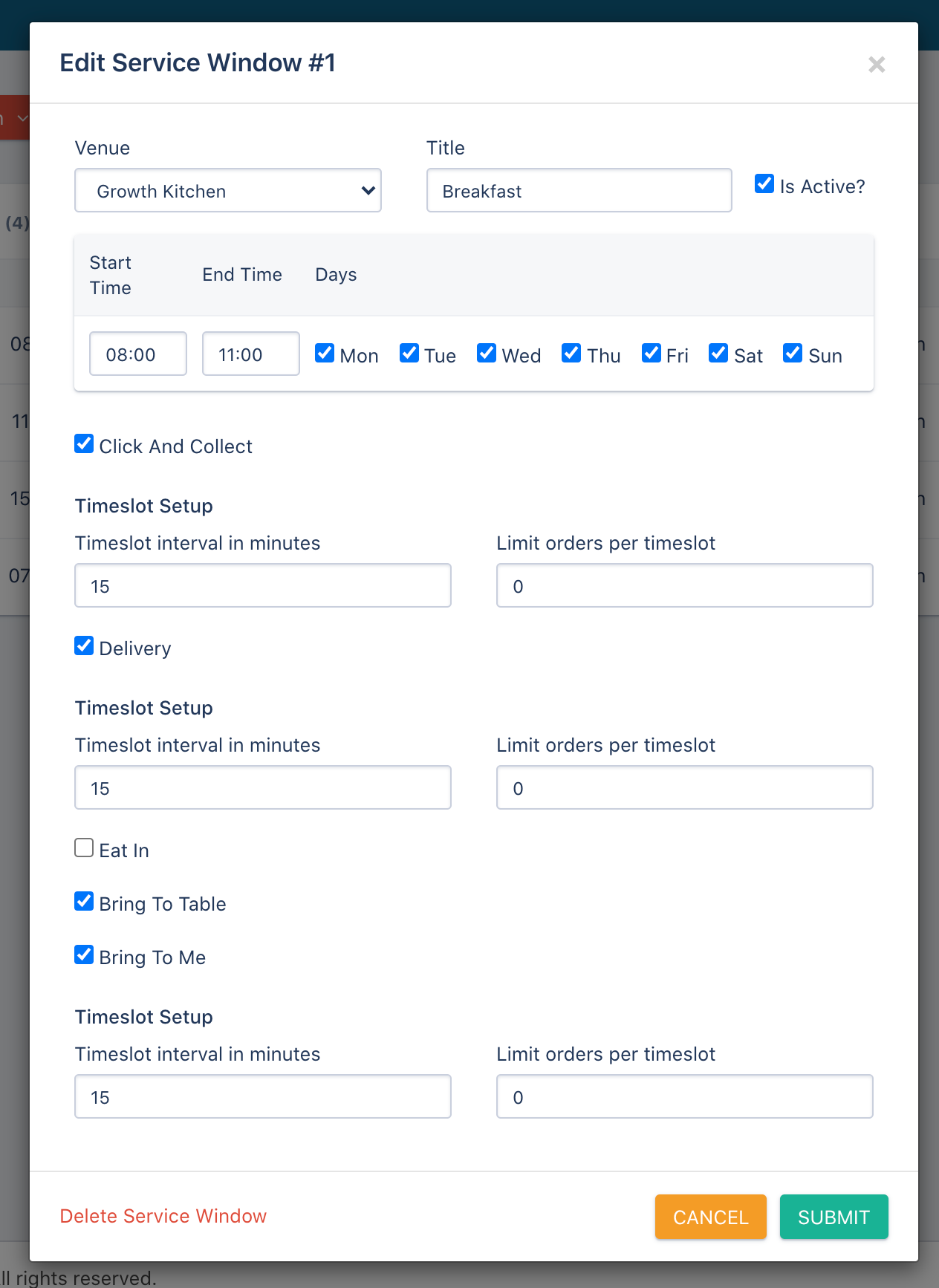
- Repeat this step until you have added each of your Service Windows you wish to have.
- Once all service windows have been completed reopen of the Collection & Delivery tab and Select ‘Categories x Windows’
- You will now be able to choose which categories appear during your chosen Service Windows by selecting the ‘No’ on the right-hand side of the category to turn it to a yes
- Once you have completed you will now be able to see your new service windows on your Arch customer platform
If you have any questions or would like to discuss the set-up further, please book in a session with a Tech Advisor here to discuss: https://outlook.office365.com/owa/calendar/EposabilityLtd@IOA.Group/bookings/
Comments
0 comments
Please sign in to leave a comment.