Once the takeaway account profile is set up, enter the orders manually to track and manage them in the Restaurant POS app.
- Tap Register in the Lightspeed Restaurant app.
- Tap Actions.
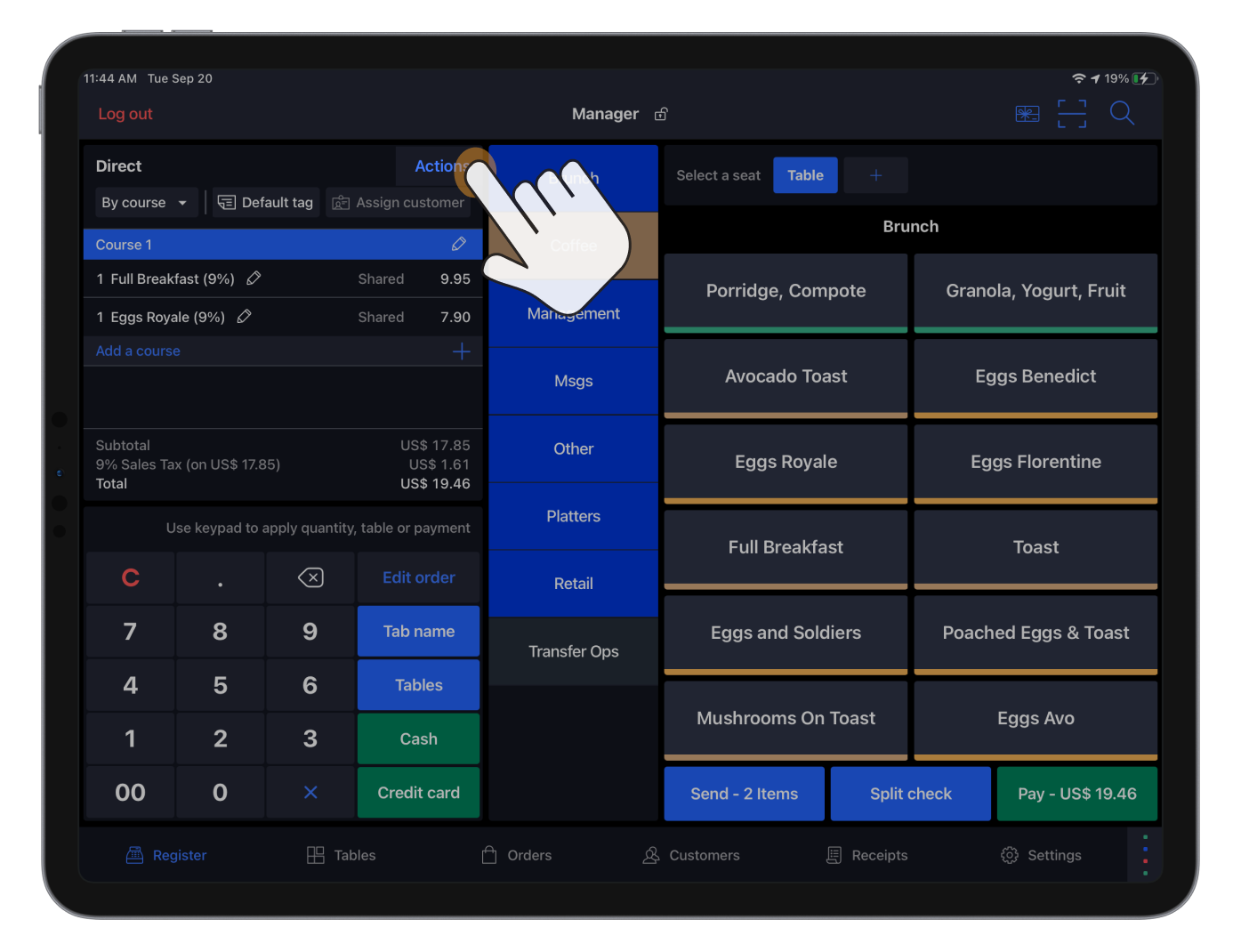
- Select the account profile intended for either delivery or pickup orders.
- Assign a customer to the order if required in the account profile’s settings.
- Add items to the order.
- Tap Send to issue the order to the production center, such as the kitchen or bar.
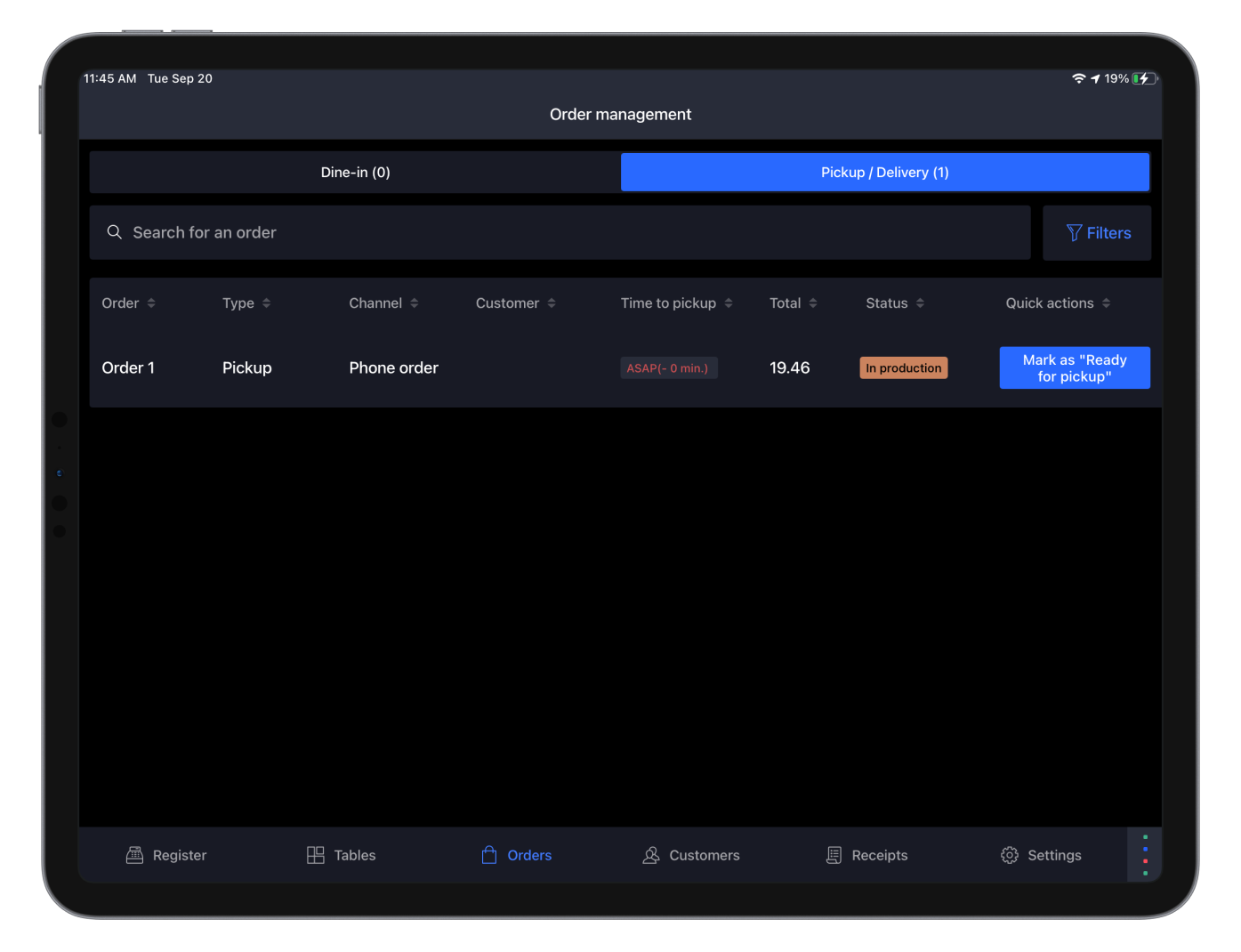
Once sent to the kitchen or bar, the order will appear in the Pickup / Delivery section of theOrdersscreen.
Viewing and managing takeaway orders
To view and manage takeaway orders:
- In the Lightspeed Restaurant app, tapOrders.
- On the Order management screen, tap Pickup / Delivery.
- (Optional) Slide the screen left to right to scroll through the available columns.
- (Optional) Use the Mark as button to advance the order to the next phase of production: Ready for delivery, Delivered,etc.
- (Optional) Use the More actions button to update the order status or pickup time.
Comments
0 comments
Please sign in to leave a comment.