With the New Stock output function, you can remove quantities of items from your stock locations, such as when goods get damaged.
- Log in to the Back Office with your Lightspeed credentials.
- From the navigation menu, select Stock > New stock output.
- Fill in the stock output settings, then select the Save button.
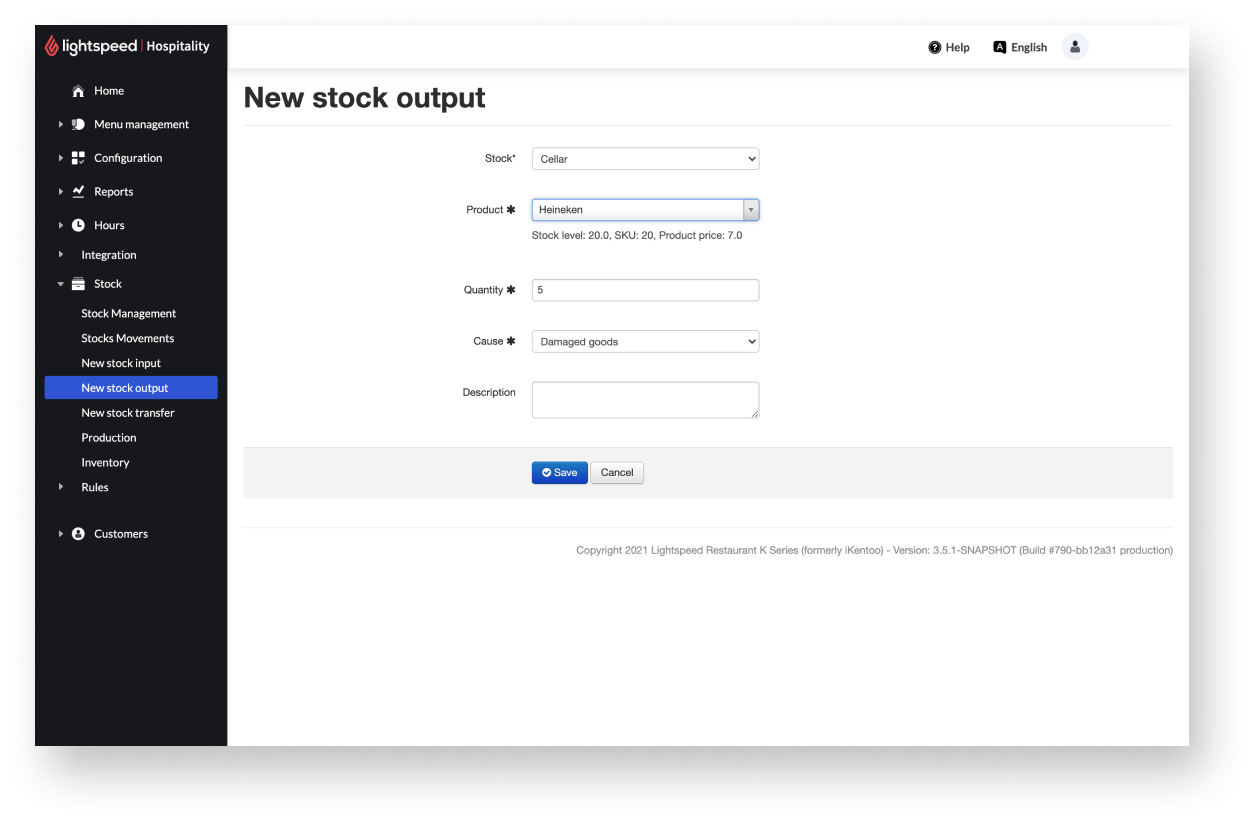
New stock output settings
| Setting name | Description |
| Stock | The stock location from which the item is deducted. All stocks created in Configuration > Settings > Stock are available for selection. |
| Product | The item is deducted from the stock. All items created in Menu management > Items are available for selection. |
| Quantity | The number of items that are deducted from the stock. |
| Cause |
The reason for deducting the item from the stock. Two reasons are available for selection:
|
| Description |
Optional details to the stock output. |
Comments
0 comments
Please sign in to leave a comment.