Create production batches for recipes from the Production section of the Back Office in Lightspeed Restaurant. When an item is created or ordered on the POS, the ingredients for the recipe will be automatically deducted from stock. The stock item and ingredients are added as one Inventory item in the Back Office.
- Log in to the Back Office with your Lightspeed credentials.
- From the navigation menu, select Stock > Production.
- Fill in the production batch settings, then select the Save button.
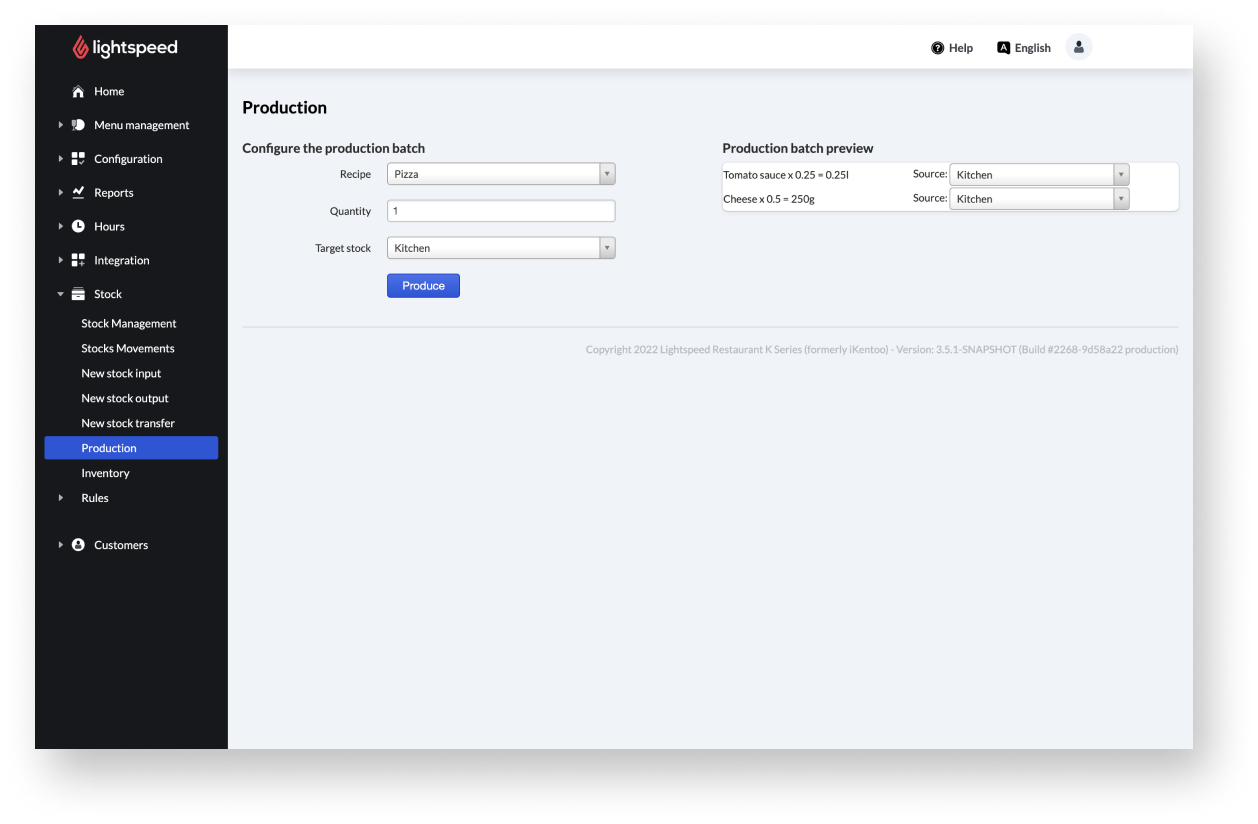
Production batch settings
| Setting name | Description |
| Recipe | Items with item composition and enabled manufactured checkbox are available for selection. |
| Quantity | The number of recipes. |
| Target stock | The stock the recipe is added to. |
Comments
0 comments
Please sign in to leave a comment.