In this guide we will cover how changing the production docket name can influence the printing order.
Firstly you need to make a decision what order you would like the items i.e.
- Cold Small Plates - A
- Hot Small Plates - B
- Large Plates - C
- Desserts - D
Once you have decided on the order you then need to edit each item that sits within the above categories and edit their production docket name to have a letter in front of the name.
To do this visit items > search you item > edit > tick 'Configure a different name to be printed on production dockets > add in your letter and a dash followed by the item name
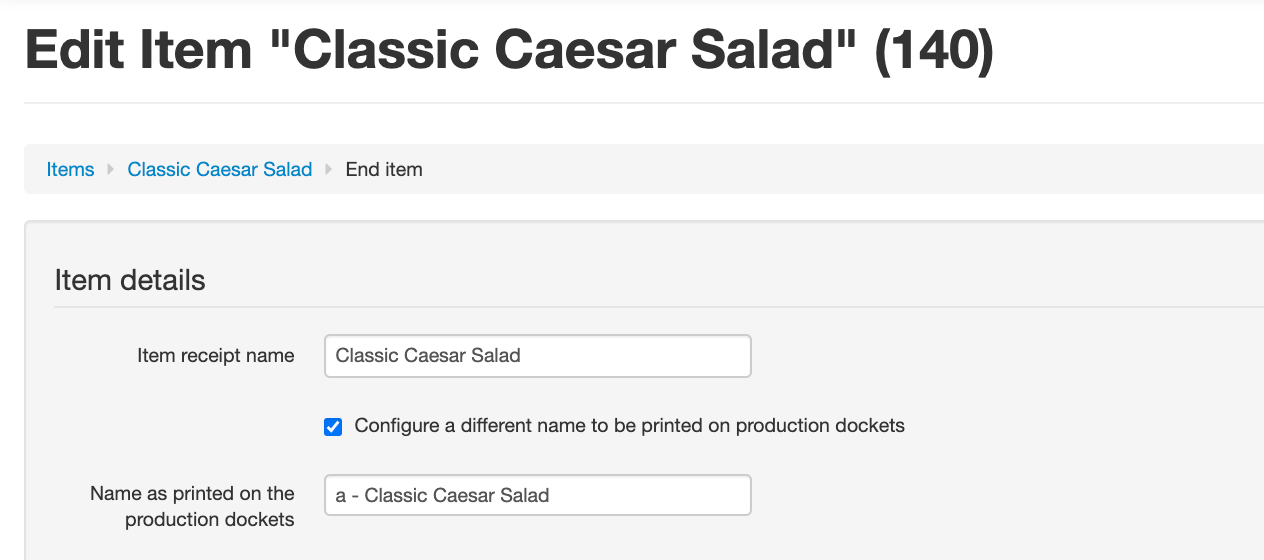
Once you have done this for all items visit your configurations > open configuration > scroll down to printing > production docket printing and ensure > 'Sort lines on docket' is ticked

Reload your device and add in items in the order the customer places their order.
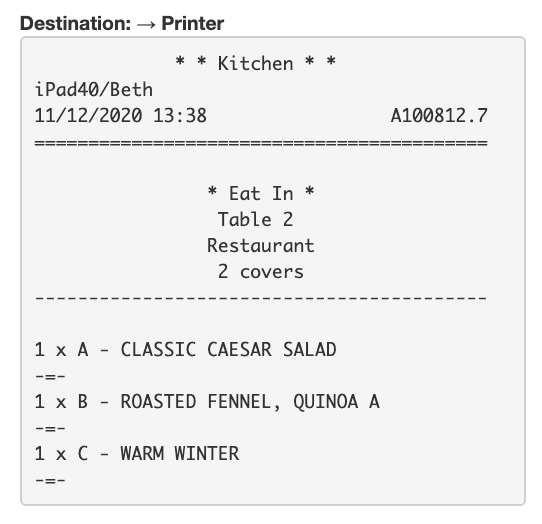
The system will know to print into the kitchen following the a,b,c order we have set-up in the background.
Please see below example:
Should you have any questions or wish for us to help with the set-up of this please book in a 'Support with Tech Advisor' call here: https://outlook.office365.com/owa/calendar/EposabilityLtd@IOA.Group/bookings/
Comments
0 comments
Please sign in to leave a comment.