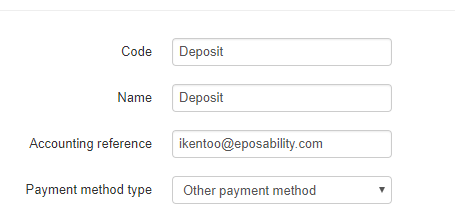
- Create payment method for “Deposits”
- Create 2 transfer operations (Deposit cash and deposit card) From deposit to cash or card
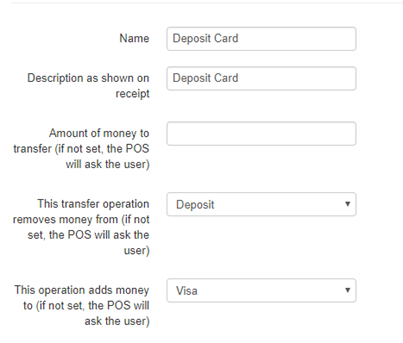
- Create button for these transfer operations
Front of House
- Take the deposit by entering the amount on the keypad and click the correct “Deposit cash” or “Deposit Card”.
- Go through normal process of ordering.
- When paying enter the amount of deposit from previous step and go to payment option “Deposit”.
- This will deduct the amount of deposit which was created before.
- The remaining will then need to be paid as per usual.
Comments
0 comments
Please sign in to leave a comment.